

The risk of “shadow IT” in small businesses

Workers often install free apps or sign up for online tools to get a job done faster. These choices sit outside any official system. The practice is known as shadow IT. Everyday users and decision makers in small firms rarely see the full picture until something goes wrong. Understanding the quiet build-up of these side tools helps local operators stay in control of their information and daily processes.
Fresh pressures on how work gets done
Pressure to finish tasks quickly pushes people toward the first tool that appears useful. Personal file storage, messaging platforms and free design sites fill gaps when approved systems feel slow or limited. Over time these informal choices multiply across phones and laptops. The result is a patchwork that no one person fully tracks.
Reasons the issue carries weight
Unapproved tools sit outside normal security updates and monitoring. Data can leave the business without any record. When a worker leaves, files stored in personal accounts may vanish or remain exposed. Recovery becomes harder and more expensive. Decision makers then face gaps in records that affect invoicing, client service and basic continuity.

Straight meanings for core ideas
These ideas matter once linked to the exact tools people already reach for each day.
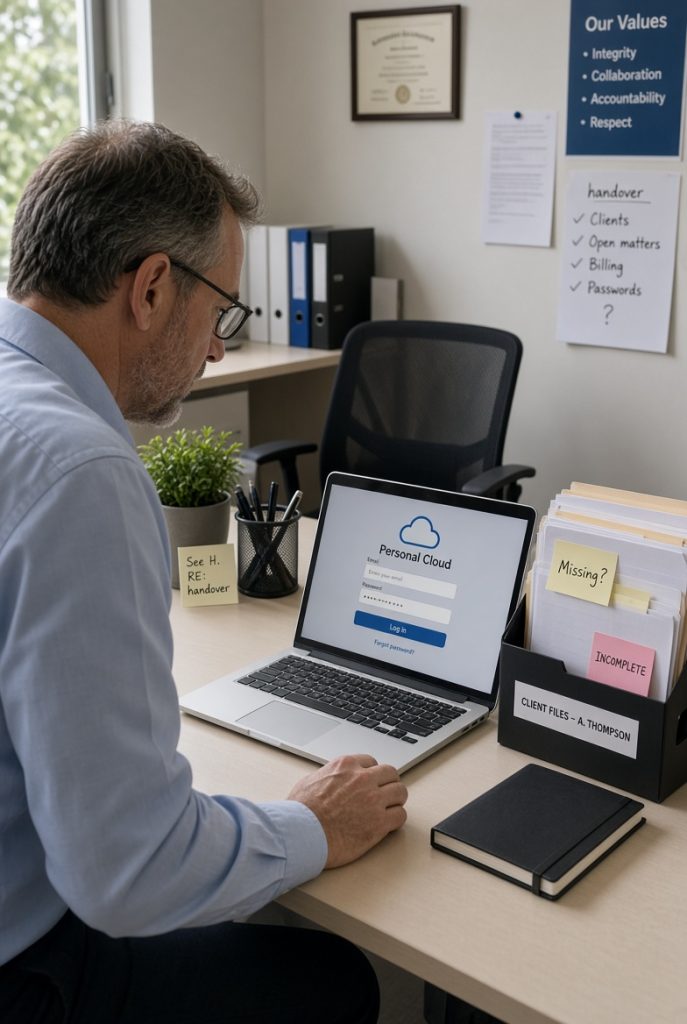
Unsanctioned cloud storage means files saved in personal accounts rather than company systems.
Visibility gaps describe the simple fact that managers cannot see or protect what they do not know exists.
Paths that match different workplaces
Some firms start with a short survey that asks workers which tools they currently use. Others create a simple approved list and offer quick alternatives that still feel easy. A light reviews every few months catches new habits before they spread. The useful approach depends on the size of the group and how many different tasks sit outside the main systems.
Results that touch the whole operation
When informal tools stay unchecked, information becomes scattered. Client details, pricing sheets and project notes sit in places that lack proper protection. A single lost password or forgotten account can create lasting problems. Bringing these tools into view restores order, improves recovery options and gives decision makers a clearer map of where information actually lives.
Assistance available from us
PC Pitstop helps small operators identify and manage the tools people already rely on. We map current usage, suggest safer approved options and set up systems that workers find practical. Our focus stays on real daily needs rather than heavy rules. Support covers both the discovery stage and the steady improvements that follow.


Want a clearer picture of the tools already in use across your business?
Call into our store and talk with us about Cloud & Productivity Solutions. We will help you review the apps and storage people currently rely on and show practical ways to bring them under proper management. One visit gives you a simple plan that fits the way work actually happens.