


How-to Guides

3 Key Home Desktop Computer Safety Tips
Safely using your desktop will help ensure that the computer works properly, and you don’t get injured. Improper use or not being aware of safety issues can cause your desktop irreparable damage. These tips will help you stay productive and safe no matter where you are working.

Learn the Lingo :: Computing Acronyms
We try to SPEEK NO GEEK but if your PC Pitstop Trained Technician uses language you don’t quite understand, just ask him to explain the lingo and he’ll happily talk you through it!

The Importance of Backing Up Your Technology
Backing up is crucial. Backing up at the basic level involves the act of copying all your important files to a separate external device that can easily be taken off site with you each day for security measures in business or easily accessible during an evacuation for home users, keeping precious data and memories safe and saving you time, money and tears.

So good I had to share :: 10 Ways to be Computer Literate
So, Justin James from TechRepublic says there are 10 Things you Have to Know to be Computer Literate. Of course, there is so much to know, and it depends on what your use of the computer is actually for that determines your capabilities, but this little list is pretty handy for general users.
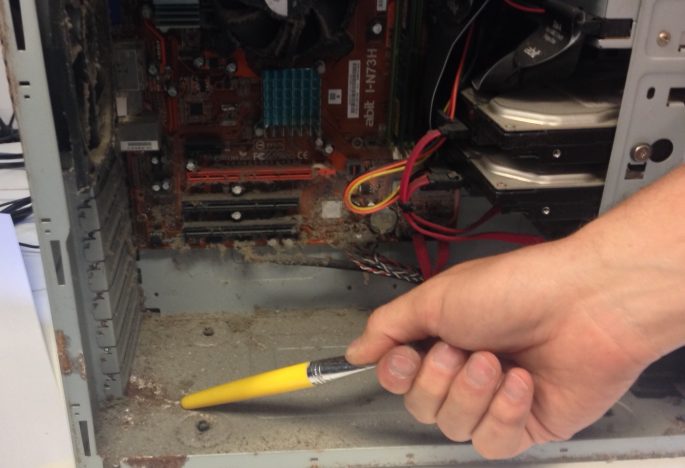
Avoiding Moisture & Corrosion for Your Computers Can Save You Hundreds
It is true that salt air will corrode hardware and electronics especially near the ocean/coast.

3 Steps to Nailing Work/Life Balance in the New Year!
As busy people, especially at this time of year, we often forget to take time out to reflect, rest and reset for the year to come. Remember to step away from the computer this Christmas/New Year period and reflect, rest and reset to enjoy greater work/life balance in 2014.

WARNING! The 1 Thing We Must All DO NOW to Survive The World’s Nastiest Bug That’s Coming for Us All
Ever heard of Cryptolocker? You will soon. Backup now to avoid this frightening new virus coming to a computer near you! Cryptolocker is new malware coming to a computer near you. Malware is short for malicious software and generally refers to a variety of forms of intrusive and hostile programs.

5 Straight Down the Line Honest Technology Truths You Need to Know
Geeks that insult your intelligence as they ‘help you’ [read: do it for you…so fast that you have no idea what they did? Love it or loathe it there are technology truths we all need to be aware of. Here’s the 5 Straight Down the Line Technology Truths You Need to Know from the PC Pitstop Australia blog.

3 Simple Ways to Spring Clean Your PC
Spring clean your computer with PC Pitstop Australia blog ‘guide to’. Spring has sprung and the trash piles are out on the lawns and garage sales are a go-go. So what about a spring clean for the machine you work hard every day – your computer?

How to Manage Your Presentation Nerves!
PC Pitstop Australia Director Ben Waters offers up his best presentation tips on the blog! So I recently spoke at Port Macquarie’s Micro Business Forum on The 5 Things We as Business Owners Need to Know to Keep our Computers (& Businesses) Running Great!

Get More from Your Excel Spreadsheets
Get more from your excel spreadsheets with these great tips and tricks from Bit on the PC Pitstop Australia blog. Don’t like that annoying habit Excel has of trying to guess the right format for a cell you’re updating? Here’s how to turn it off, plus other handy tips.

Miss Manners Tech Talk
Okay. Put down your phone. It’s time to talk. For the Rue team, Instagram-ing is a way of life, but we realize we can spend our lives a little too glued to the screen. Sometimes, we need to disconnect and actually talk to the person across the table. So when do we indulge and when should we draw the line? It’s a constantly evolving question thanks to technology (Google Glass, anyone?) but it all comes down to what all etiquette is about- being considerate.