

Why your Wi-Fi setup matters more than you think

Most people only notice their Wi-Fi when it fails. On the Mid North Coast that failure can mean a stalled video call, a customer who cannot pay, or staff waiting on files that never load. Everyday users and business decision makers often treat wireless as a set-and-forget appliance. It is not. The way your network is designed now affects speed, security and the ability to add new tools later.
What has changed
More devices connect every day. Phones, laptops, smart speakers, security cameras, point-of-sale systems and cloud printers all share the same airwaves. Older routers struggle under that load. Newer standards such as Wi-Fi 6 and Wi-Fi 6E handle more traffic at once and reduce interference. Mesh systems have also become practical for larger homes and open-plan offices common in the region. At the same time, cyber threats increasingly target wireless networks. Weak passwords or open guest access create easy entry points.

What could go wrong

A poorly planned network creates daily friction. Staff waste minutes reconnecting. Customers experience drop-outs on free Wi-Fi. Backups fail because the connection is unstable. Security gaps go unnoticed until something goes wrong. For businesses the cost shows up in lost productivity and higher risk. For households it shows up as frustration and the need to keep buying range extenders that never quite solve the problem. Good design removes those issues before they start.
Key terms explained simply
Wi-Fi 6 / 6E: Newer wireless standards that support more devices at higher speeds with less congestion.
Mesh system: Several units that work together as one network, so coverage reaches every room without dead spots.
Guest network: A separate wireless network that keeps visitors off your main devices and files.
Band steering: Automatic direction of devices to the best frequency so older and newer devices do not slow each other down.
Essential Eight: The Australian Cyber Security Centre’s set of practical steps that reduce the chance of a successful cyber-attack. Strong wireless security forms part of that approach.
Practical help available
Start with how the space is used. A small office with a handful of laptops may need only a modern dual-band router and a clean guest network. A larger site with warehouses, outdoor areas or multiple buildings usually benefits from a properly planned mesh or business-grade access points. Ask these questions:
- How many people and devices connect at the same time?
- Do staff work across different rooms or buildings?
- Is public or customer Wi-Fi required?
- Are there areas with thick walls or metal that block signals?
The answer shapes whether a single unit, a mesh kit or professional access points make sense. Guessing often leads to buying equipment twice.
How this affects your business
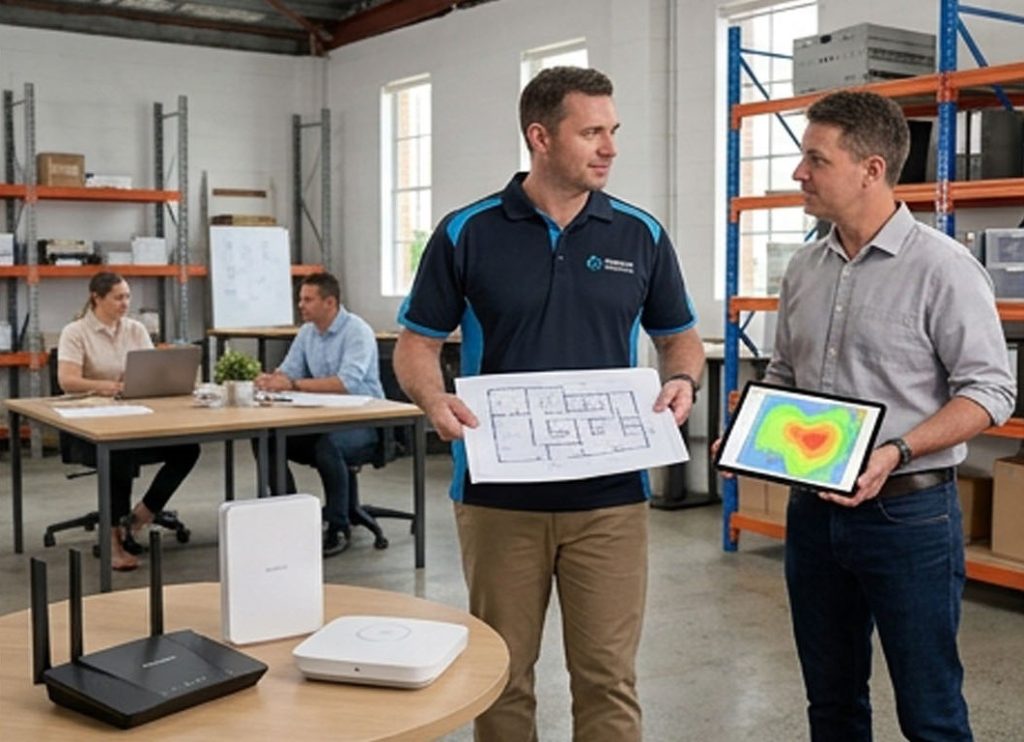
Reliable wireless supports Microsoft 365, cloud file sharing and video meetings without constant interruptions. It lets you add security cameras or digital signage later without starting from scratch. It also makes cyber protection easier to maintain because the network is organised rather than a collection of random gadgets. On the Mid North Coast, where many businesses operate from mixed residential and commercial premises, a solid setup reduces the need for constant onsite fixes and keeps operations running when staff work from different locations.
How we can assist
We supply and configure Network & Wifi Support that matches the way you actually work. That includes assessing coverage, installing the right hardware, setting secure guest access and linking the network to your existing Microsoft 365 or cloud tools. Our Technology Consulting service helps you decide what is worth investing in now and what can wait. For ongoing peace of mind, ProactiveCare Managed Care Plans monitor performance and security so small issues are fixed before they become outages. Onsite and remote support is available when something needs attention quickly. We also align wireless settings with Essential Eight recommendations and make sure Data Backup and Recovery paths remain reliable over the network.


Ready for a Wi-Fi setup that just works?
Call into the store or book a quick assessment. We will walk through your space, explain the options in plain language and get your network performing the way it should.